
Designing a Home That Protects Your Vision in a Screen-Filled World
Posted in Eye Blog
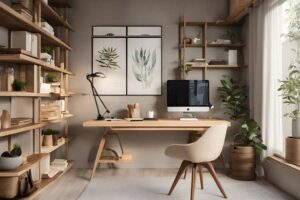
Home environments play a powerful role in shaping long-term eye health, especially as screens dominate work, entertainment, and communication. From lighting choices to desk layout, small design decisions influence how hard your eyes have to work each day. Over time, that effort adds up as digital eye strain, headaches, dry eyes, and blurred vision.
Intentional adjustments at home can reduce strain, support visual comfort, and protect your eyesight for the long haul.
Key Takeaways
- Poor lighting and screen glare force your eyes to work harder than necessary.
- Screen height and distance directly affect strain in both the eyes and neck.
- Contrast between screens and surrounding light matters more than brightness alone.
- Designated screen-free zones help your eyes recover from prolonged focus.
- Regular eye exams are essential for catching subtle vision changes early.
How Lighting Shapes Visual Comfort
Light is the foundation of an eye-friendly space. Too little light increases strain. Too much harsh or direct light creates glare and reflection.
Natural light is ideal, but placement matters. If a window sits directly behind your screen, reflections can wash out contrast. If it’s behind you, it can create screen glare. The goal is indirect, balanced illumination that reduces contrast between the screen and the surrounding room.
Warm, diffused lighting in the evening supports relaxation, while brighter, cooler lighting works better during focused tasks. Layering overhead light with task lamps allows flexibility throughout the day.
Screen Placement and Daily Eye Strain

Screens positioned too high, too low, or too close demand constant muscular adjustment from both the eyes and neck.
For most people:
- The top of the screen should sit at or slightly below eye level.
- The screen should be about an arm’s length away.
- The center of the display should align with your natural line of sight.
Laptops often sit too low, encouraging a downward gaze and closer viewing distance. A simple stand and external keyboard can dramatically improve posture and visual comfort.
Quick Comparison of Common Eye Strain Triggers
Before making changes, it helps to understand what typically causes discomfort.
| Home Setup Issue | Why It Causes Strain | Simple Fix |
| Bright overhead light reflecting on screen | Reduces contrast and forces squinting | Use diffused bulbs or reposition lighting |
| Dark room with bright screen | High contrast increases fatigue | Add ambient light |
| Screen too close | Increases focusing demand | Move screen farther away |
| Multiple screens at different heights | Repeated eye refocusing | Align screens evenly |
Even modest adjustments in these areas can significantly reduce daily strain.
Creating Zones for Work and Recovery
Your eyes benefit from variety. Staring at a fixed distance for hours reduces blink rate and strains focusing muscles.
Designating separate areas for:
- Focused screen work
- Reading or low-light relaxation
- Screen-free breaks
This helps your visual system shift between distances and lighting conditions. A comfortable chair near a window or a soft-lit reading nook can serve as a restorative space.
The 20-20-20 rule—looking 20 feet away for 20 seconds every 20 minutes—works best when your home layout makes distance viewing easy.
Upgrading Your Space for Long-Term Comfort
Some homeowners go beyond small adjustments and invest in larger upgrades to create a healthier visual environment. Improved layered lighting systems, thoughtfully redesigned home offices, and intentional screen-free relaxation areas can significantly reduce daily strain. Over time, these changes support more consistent visual comfort and fewer headaches or dry eye symptoms.
By reshaping the home environment, individuals can create a space that supports focus during work hours and recovery afterward. These investments often enhance not only eye health but also overall comfort and productivity.
Practical Steps to Build an Eye-Friendly Setup

If you want to make meaningful improvements, start with intentional adjustments throughout your home.
- Evaluate lighting in every room where screens are used.
- Adjust screen height and distance for neutral posture.
- Reduce glare with curtains, matte screen filters, or repositioned lamps.
- Increase ambient light in rooms used at night.
- Create at least one designated screen-free relaxation space.
Consistency matters more than perfection. Small, repeated improvements compound over time.
Professional Insight for Long-Term Vision Health
Environmental changes help, but they work best alongside professional care. Working with an experienced ophthalmology provider allows individuals to better understand their unique visual needs and risk factors. Regular eye exams help detect subtle prescription shifts, early signs of eye disease, or conditions contributing to persistent strain.
Cascadia Eye offers comprehensive ophthalmology services that address both routine vision concerns and more complex conditions. Personalized care ensures that screen-related discomfort isn’t masking an underlying issue. With expert guidance and preventive care, patients can protect their long-term vision while adapting to a screen-centered lifestyle.
Vision-Friendly Living: Frequently Asked Questions

If you’re considering changes to improve eye comfort at home, these answers can help guide your decisions.
Does Blue Light From Screens Permanently Damage Eyes?
Current research does not show that normal screen exposure causes permanent retinal damage. However, extended screen use can contribute to digital eye strain and sleep disruption. Adjusting brightness, reducing glare, and taking breaks are practical ways to minimize discomfort.
Is It Better to Work in a Bright or Dim Room?
Moderate, balanced lighting is best. A very dim room paired with a bright screen increases contrast and fatigue. Soft ambient lighting that matches screen brightness reduces strain.
How Often Should I Get My Eyes Checked if I Use Screens Daily?
Most adults benefit from comprehensive eye exams every one to two years, depending on age and risk factors. Frequent screen users may notice subtle prescription changes more quickly. An eye care professional can recommend a schedule tailored to your needs.
Can Workspace Design Really Reduce Headaches?
Yes, especially when headaches are linked to strain, posture, or glare. Proper screen positioning and improved lighting reduce muscular tension around the eyes and neck. Many people notice improvement after correcting ergonomic issues.
Are Screen-Free Areas Actually Necessary?
While not mandatory, they encourage healthier visual habits. Shifting focus between distances allows eye muscles to relax. Over time, this variation supports comfort and reduces cumulative strain.
A Clearer Path to Comfortable Vision
Your home is more than a place to live—it shapes how your eyes function every day. Thoughtful lighting, proper screen placement, and intentional recovery spaces reduce strain in a world filled with digital demands. Combined with regular professional care, these adjustments create an environment that supports long-term eye health. Small changes today can protect your comfort and clarity for years to come.

Drafting support provided by Scott Sanders, cancerwell.org, Health Content Contributor
Contact Cascadia Eye
If you would like to learn more, or if you would like to schedule an appointment or consultation with our talented doctors at Cascadia Eye, please contact us today. Our entire team is committed to protecting and improving your vision and the health of your eyes. We are happy to answer any questions you might have!
In addition, join us on Facebook, Instagram or YouTube to ask your questions about eyes, exams, and our practice. We’d love to hear from you – and there might be a blog to address your questions in the future.